Hacking On Mull
Note
Looking for help? We’ve got you covered! ❤️
Codespaces and Devcontainers
For development on Linux, Mull provides devcontainers that can be used either via Codespaces or locally.
Codespaces
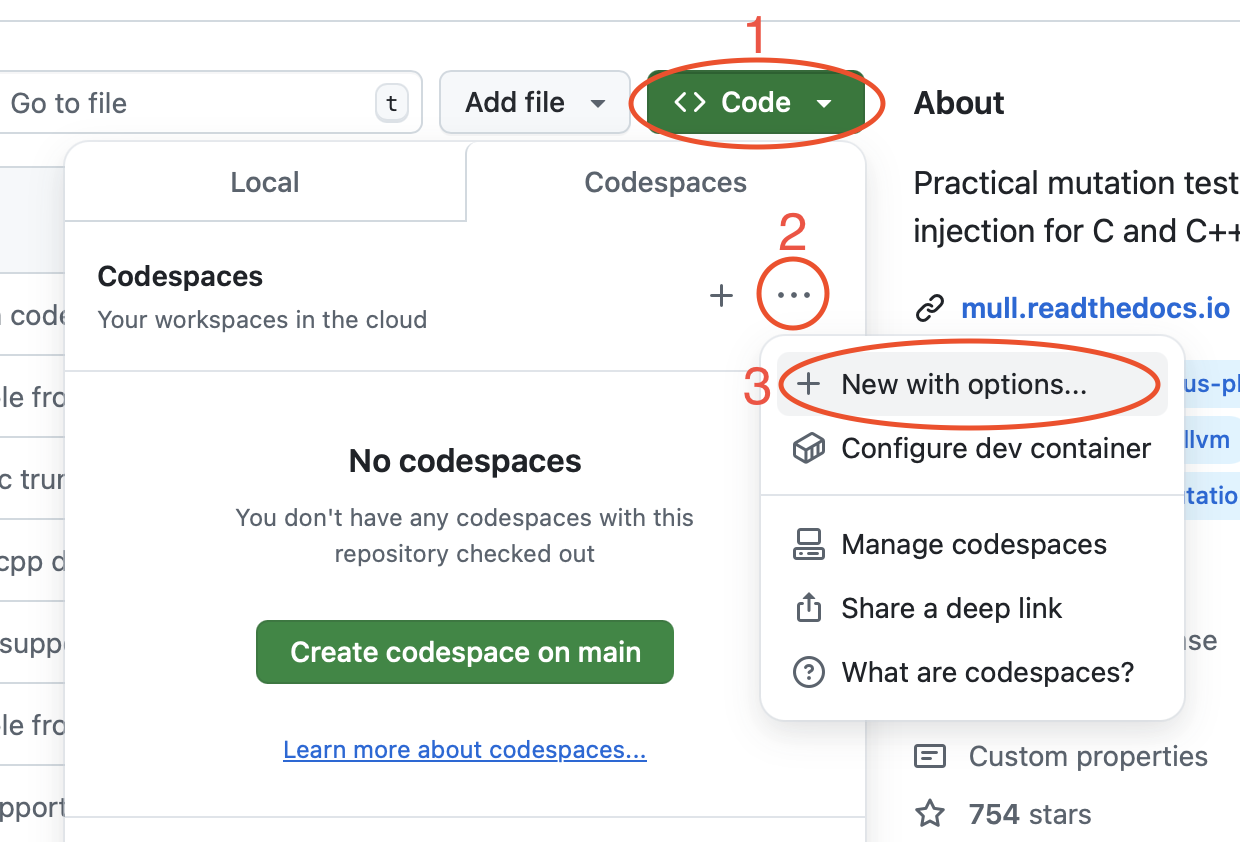
To start a Codespace, go to the Mull’s GitHub page and follow Code -> Codespaces -> Dots (...) -> New with options:
Then choose the right combination of OS/LLVM version and hit Create Codespace:
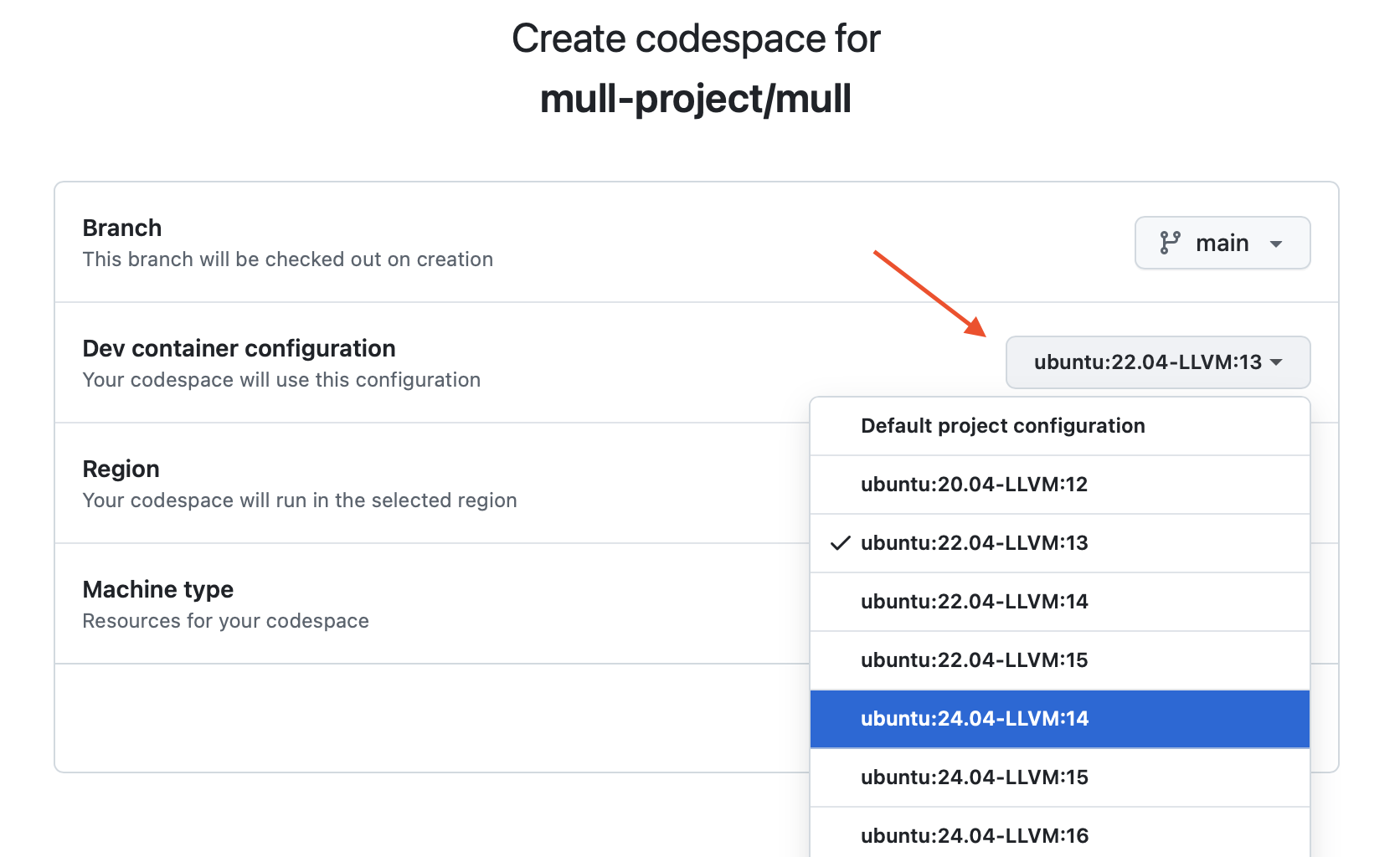
After a couple of minutes you’ll get a fully functional dev environment ready for hacking.
Follow this doc to connect to a Codespace from your local machine.
Devcontainers
You can get similar setup locally via Devcontainers.
The following commands setup a devcontainer using Ubuntu 24.04, LLVM 17 and build&run Mull’s test suite.
npm install -g @devcontainers/cli
devcontainer up --workspace-folder . --config ./.devcontainer/ubuntu_24.04_17/devcontainer.json
devcontainer exec --workspace-folder . --config ./.devcontainer/ubuntu_24.04_17/devcontainer.json bash
cmake --workflow --preset build-and-test
Follow these instructions to connect to a devcontainer from VSCode.
Internals
For better understanding of Mull’s internals it may be helpful to get through the second and third sections of this paper: Mull it over: mutation testing based on LLVM from ICST 2018.